Enterprise RDLC Reporting
on Any Platform
Run the RDLC reports you already have on modern .NET: PDF, Excel, Word, HTML and images on Linux, macOS, Windows and Docker, laid out as Microsoft's Report Viewer lays them out.
No registration required. Install via NuGet and start generating reports instantly.
New Design RDLC reports in your browser with the online designer
dotnet add package SSRS2.NETCore

var report = new LocalReport();
report.LoadReportDefinition(rdlcStream);
report.DataSources.Add(new ReportDataSource("Sales", data));

var pdf = report.Render("PDF");
// The same code on Windows, Linux, macOS and Docker
BUILT FOR ENTERPRISE INDUSTRIES
Keep Your Reports, Change the Platform
Hundreds of RDLC reports built over years are the expensive part of a migration. SSRS2 runs them as they are.
Migrate at Your Pace
Start on .NET Framework 4.7.2/4.8 today, upgrade to .NET 10 when ready. Same code, same reports.
Report Viewer's Layout
Reports are processed and laid out as Microsoft's Report Viewer does, and checked against its pages: lines and pages break where they did.
Inside Your Application
A library in your own process: your data stays in your network, the licence key is checked offline, and nothing is counted or reported back.
.NET Framework to .NET 10
Already on .NET Framework 4.x? SSRS2 supports both legacy and modern .NET, so you can migrate in phases. Read the full migration guide.
Visual Report Designer
Design and edit RDLC reports in your browser: no Visual Studio, no Report Builder. Open your existing .rdlc files, preview them as Report Viewer renders them, export PDF, Excel or Word, and save them back with only your edits changed.
Export to Any Format
Thirteen output formats from the same report.
Hyperlinks and bookmarks
PNG
Any DPI you set
JPEG
Quality control
WebP
Modern format
HTML5
Web embedding
Word
DOCX format
PowerPoint
Editable slides
Excel
XLSX format
TIFF
Every page, one file
HTML 4.0
Older browsers
MHTML
Page and images, one file
CSV
The report's data
XML
The report's data
Reports for Every Industry
Sample reports from six industries, rendered by SSRS2. These are their first pages.
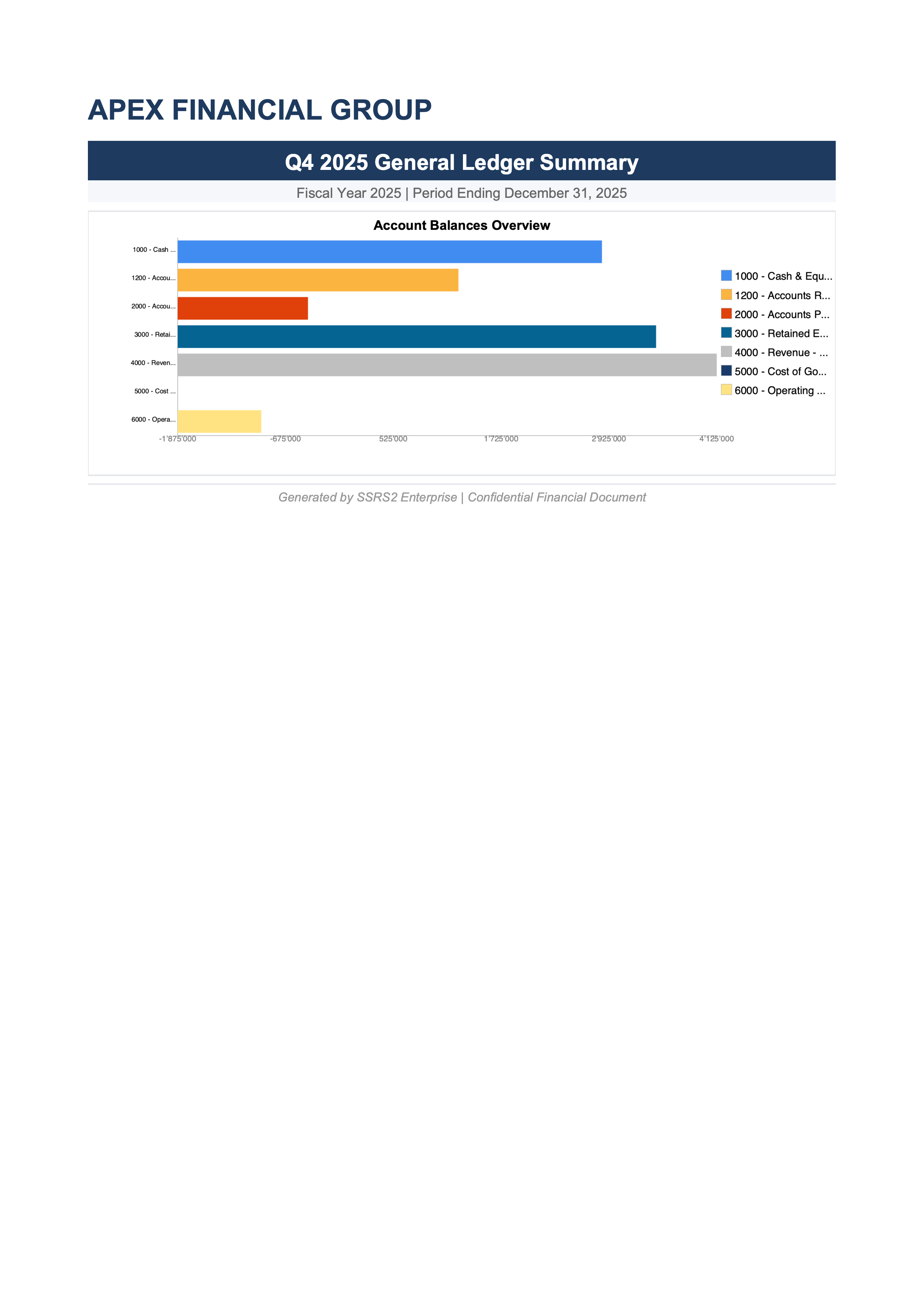
Financial Statements
Balance sheets, income statements, cash flow reports with charts and KPIs.
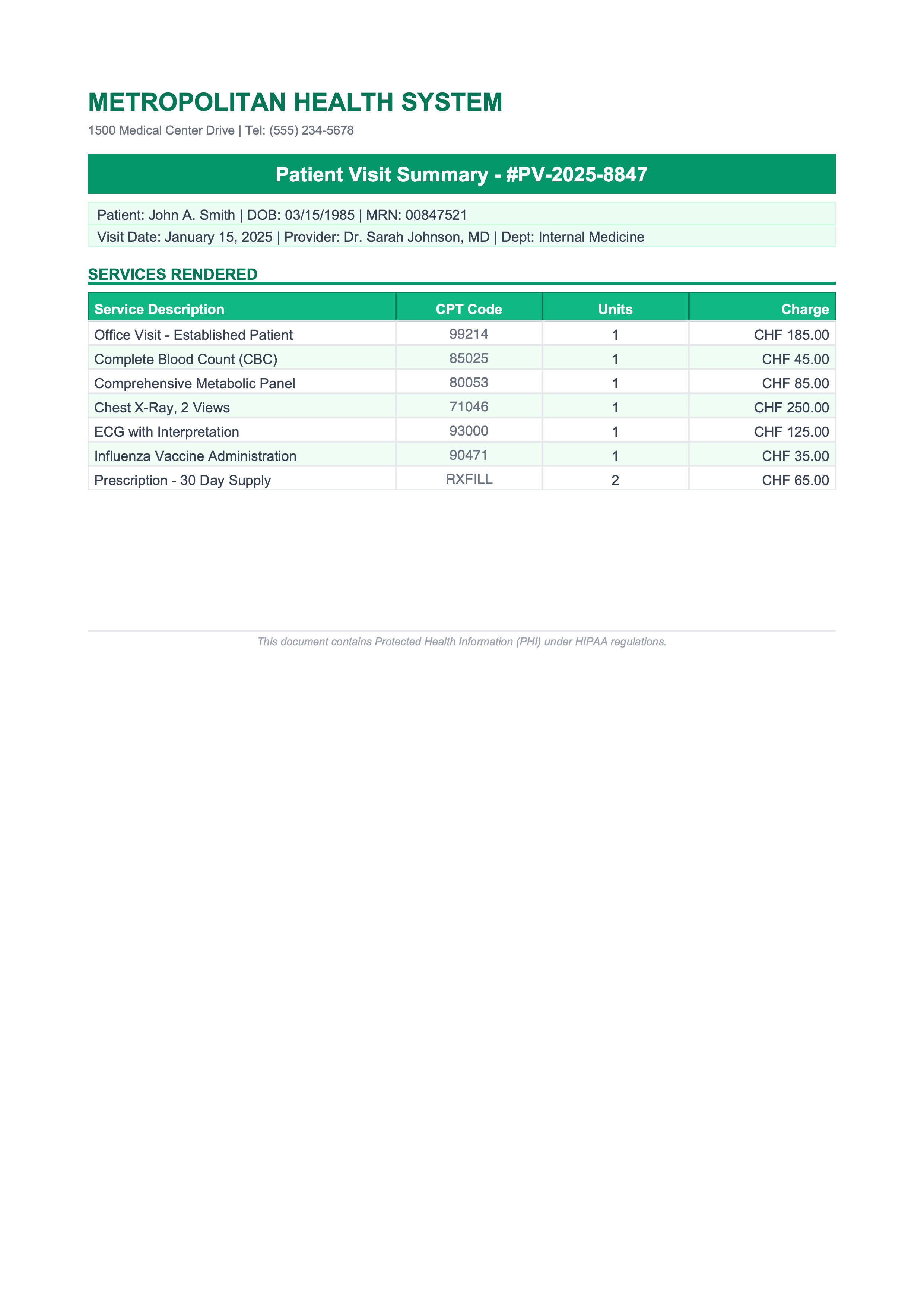
Patient Records
Medical records, lab results, and clinical summaries.
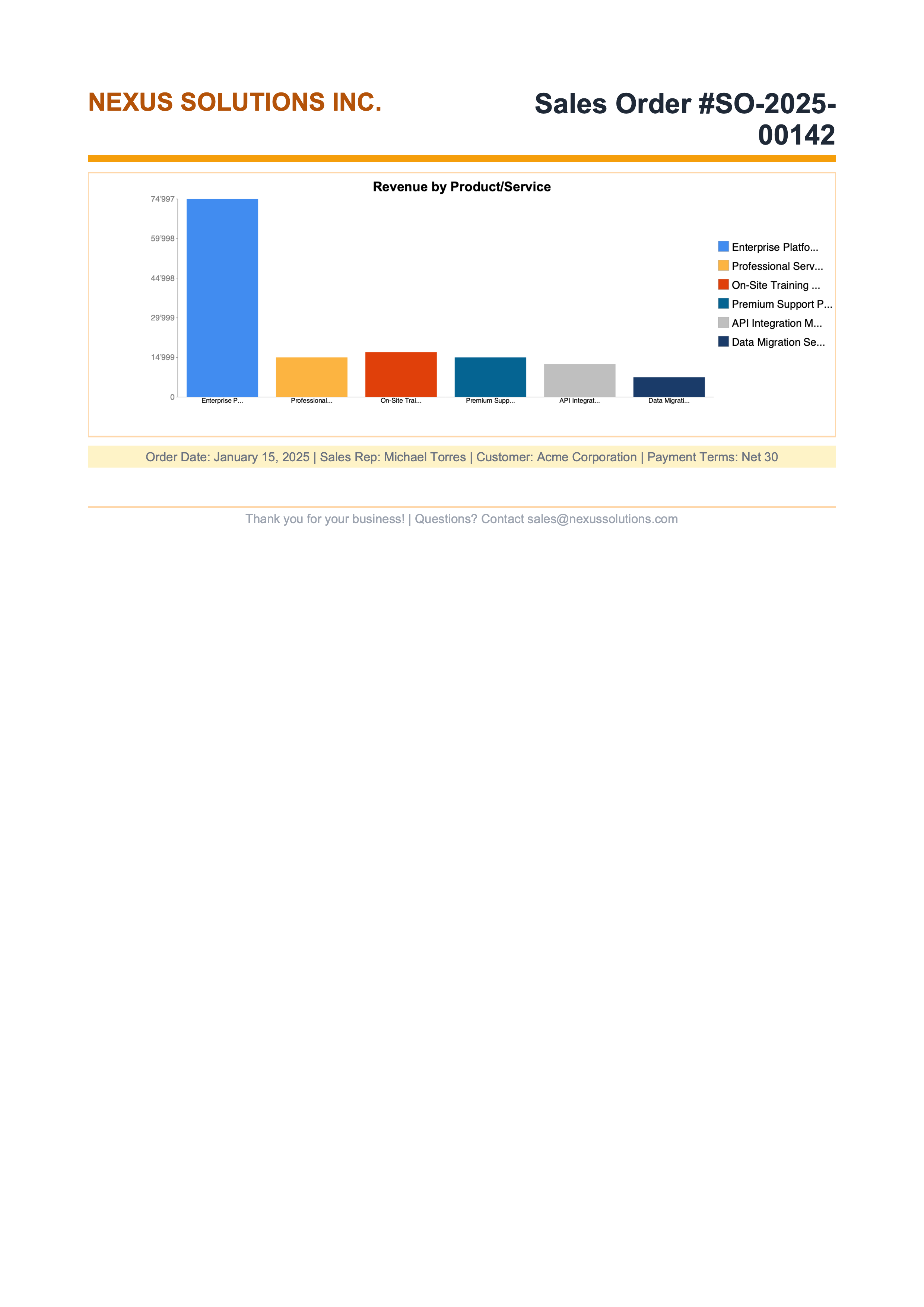
Sales Dashboards
Revenue analytics, pipeline reports, and commission statements.
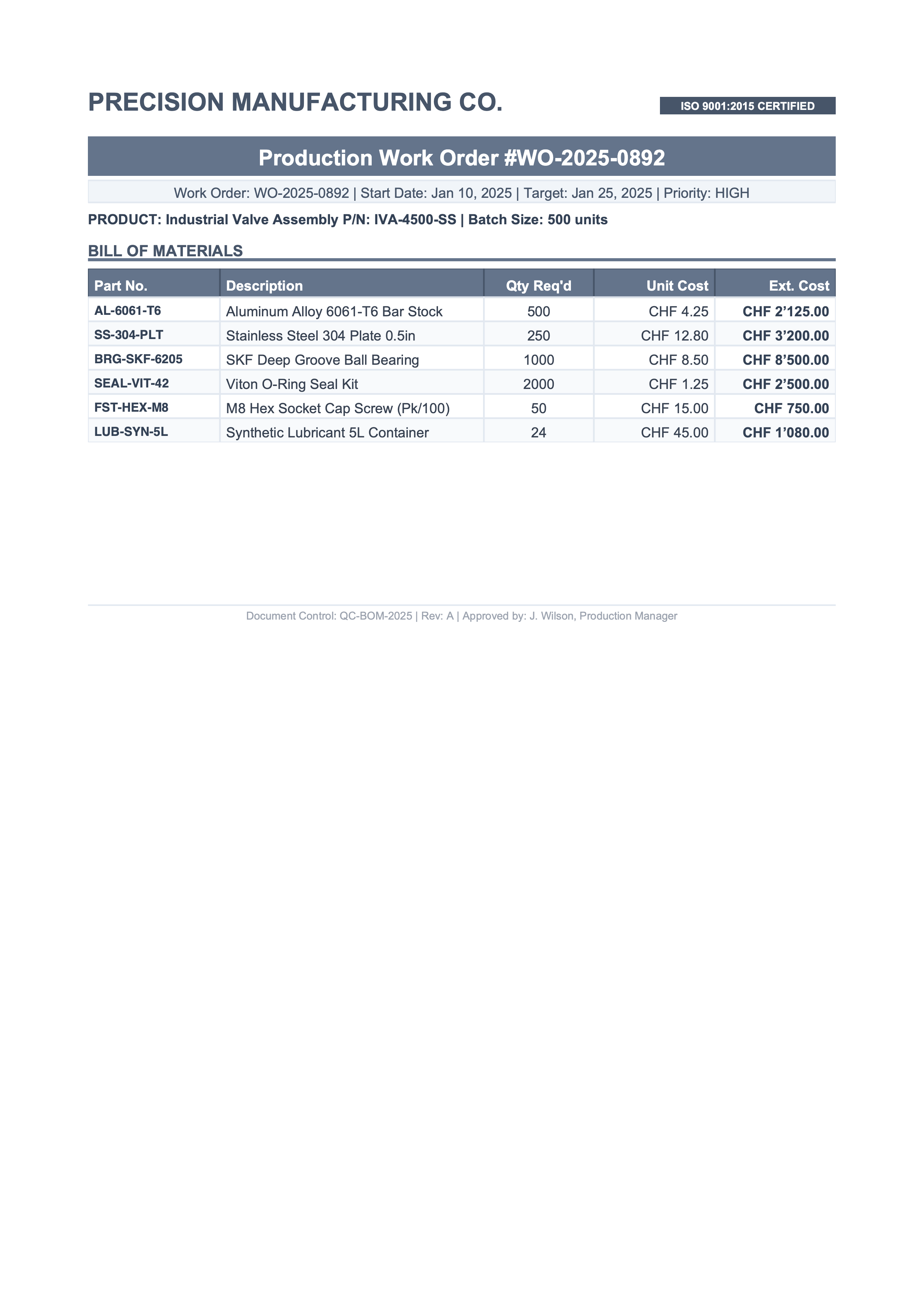
Production Reports
Quality control, inventory tracking, and supply chain analytics.
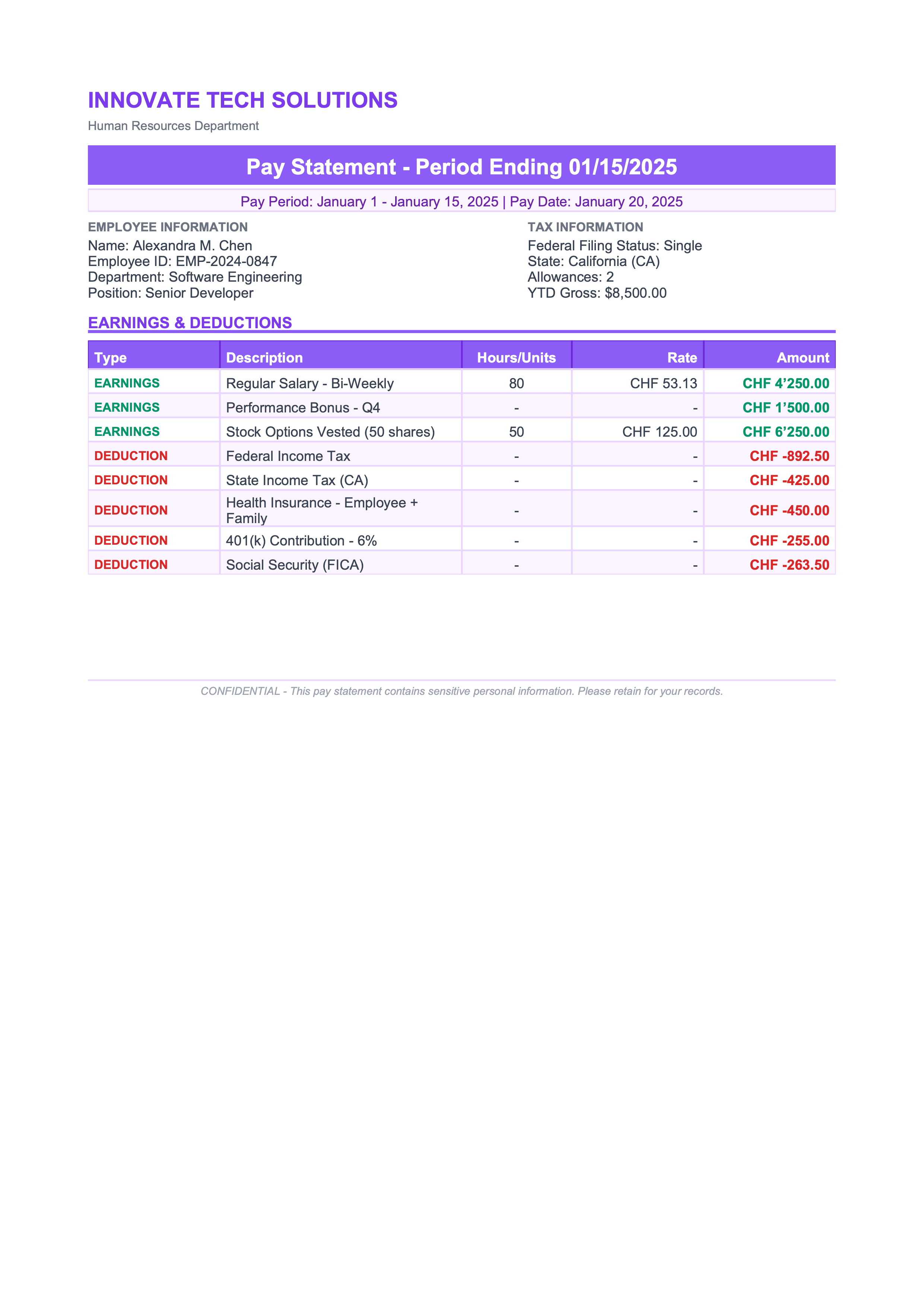
HR Analytics
Payroll summaries, headcount reports, and performance reviews.

Policy Documents
Claims processing, policy declarations, and actuarial reports.
Why SSRS2
What you get, and what you never have to count.
Nothing Leaves Your Network
Runs entirely within your infrastructure. The library calls no service of ours, and the key is checked offline.
A Designer in the Browser
Open, edit and preview your .rdlc files online: no Visual Studio, no Report Builder.
No Metering
Unlimited servers, containers and renders. Scale out without counting anything.
One Licence per Company
USD 799 a year: every developer, server and render, with keys that keep working forever.
Get Started
No registration, no sales call, no credit card. Install and start generating reports immediately.
Install
dotnet add package SSRS2.NETCore
Use Your Existing RDLC
Drop in your .rdlc files. The same LocalReport API as ReportViewer: change the namespace, keep your code.
Go to Production
Ready? Buy a licence: the key arrives by email within a minute and removes the trial watermark.
Trial includes everything
All export formats, all platforms, all features. The only difference is a small watermark on generated reports. Remove it anytime by activating a license.
Run Your Hardest Report Through It
Every feature works without a key. Buy the licence when the output is right, and the watermark is gone within a minute.